
The most effective technology for early childhood learning shifts a child from a passive consumer to an active participant. Integrating specific interactive apps, keyboard practice, and guided search habits builds measurable skills in early literacy, fine motor control, logical sequencing, and language development.
Parent-guided screen time functions exactly like a puzzle or a set of alphabet blocks when managed with clear developmental goals. Here are seven ways to turn screen interactions into targeted skill-building.
1. Typing and Keyboard Familiarity Builds Fine Motor Skills
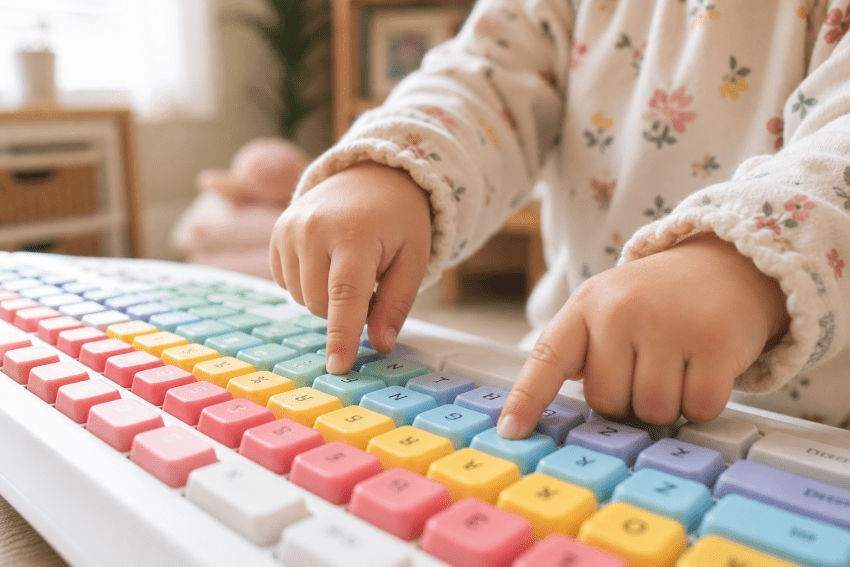
Integrating keyboard practice into daily routines belongs in the same category as lacing cards and pegboards. While swiping a touchscreen engages broad wrist movements, pressing keys demands isolated fingertip depression.
Imagine your four-year-old pushing each letter of her name on a real keyboard. That action requires the exact deliberate motor control she builds when threading beads, making free-play letter hunting a highly effective entry point since early visual-motor integration skills correlate with better executive function.
Setting up a dedicated station gives kids a consistent place to practice, but handing a toddler a brand-new device creates obvious cost anxiety. Parents looking for an affordable hardware option often choose certified refurbished laptops from PCLiquidations to provide real keys without worrying about sticky fingers.
Utilizing secondary hardware removes the speed pressure from early typing games, allowing the child to treat the device as a tactile puzzle. Choosing refurbished machines also keeps functioning equipment out of landfills while supporting early motor skill development.
Key Insight: Pressing a single key requires the same deliberate fingertip depression and motor control as threading a bead, moving this screen activity from passive consumption into the category of a fine motor puzzle.

2. Interactive Phonics Apps Support Early Literacy
Dedicated phonics programs use tap-to-sound interactions and guided tracing to build foundational reading readiness.
High-quality educational apps for toddlers and preschoolers isolate specific phonemes to strengthen sound-symbol connections before a child starts formal schooling. These interactive environments work best for children aged two to five when introduced in focused, fifteen-minute increments. Once a child ages out of that free-play stage, one of the best reading programs for kids can carry the same phonics groundwork into fluency and comprehension work.
Sitting beside your child and narrating the screen activity extends the learning process significantly. Ask a direct question like “What sound does that letter make?” before the program supplies the answer.
This active participation forces the child to recall the phoneme rather than simply waiting for the application to play the audio cue.
Pro Tip: The learning isn’t in the app; it’s in your narration. Ask “What sound does that letter make?” before the program answers to transform tapping into a genuine teaching moment.
3. Develop Critical Thinking
When a five-year-old fixates on dinosaurs or space exploration, the screen transitions into a guided research tool. Navigating kid-safe environments like DKfindout! allows parents to model how to type search queries and read the resulting information together.
Demonstrating this process shows a child how technology supports child development by answering specific questions.
The child’s natural curiosity acts as the engine, while the screen serves as the encyclopedia to find concrete answers.
Look up an animal’s diet together to see if their hypothesis matches the digital text entry. Finding answers online equips the child with new facts they can immediately share with family members.
4. Video Calls Scaffold Social Language Development

Real-time video conversations require a child to listen, wait for a natural pause, and formulate a relevant response. This digital interaction provides a low-stakes environment to practice conversational turn-taking with patient relatives, since children successfully learn novel verbs through socially contingent interactions like video chat.
Geographically separated families utilize these communication platforms as a relational bridge rather than a simple viewing distraction.
Structuring the call with specific prompts keeps young children engaged and prevents sudden camera abandonment. Ask your child to hold up a physical drawing they completed, or have a grandparent read a physical picture book into the lens.
Giving the child a concrete task grounds the conversation, aligning with evidence that toddlers learn words best during reciprocal social interactions on video.
5. Co-Viewed Educational YouTube Promotes Shared Attention
Transforming a video from a passive distraction into an active learning session depends entirely on a parent watching alongside the child. Curating content around safe science experiments and age-appropriate nature documentaries creates a reliable baseline for shared attention.
Pausing the video halfway through to ask why a specific event happened forces verbal processing.
This active discussion method proves that learning at home with kids requires targeted engagement rather than complex curricula.
Utilizing video platforms as some of the best educational tools for young children hinges on this continuous pause-and-discuss routine. The parent dictates the pacing, ensuring the child digests the information before the next scene plays.
6. Coding Games Teach Sequencing and Logic
Early childhood coding bypasses typed syntax in favor of drag-and-drop logic puzzles that build cause-and-effect reasoning.
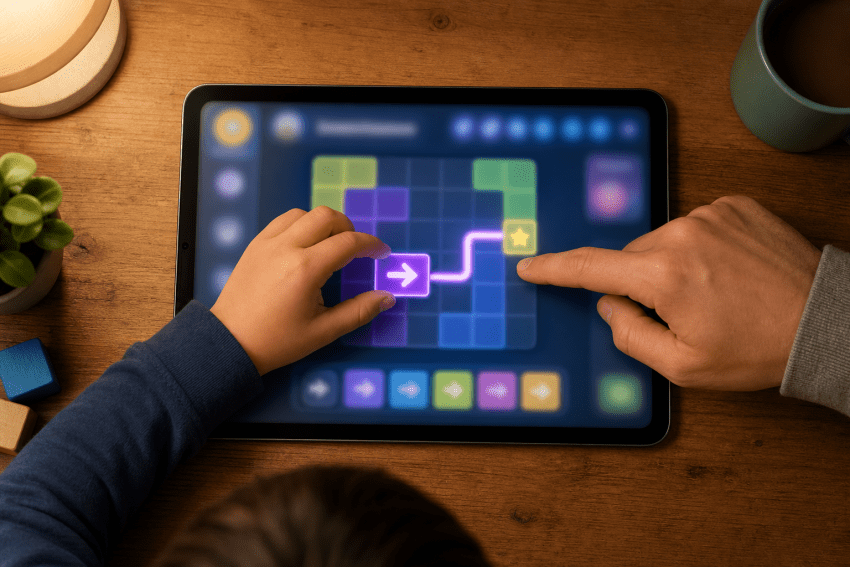
Applications like ScratchJr require four- to six-year-olds to arrange directional arrows to move digital characters across a grid. Think of this precise process as the screen equivalent of following a baking recipe.
Arranging command blocks introduces critical pre-math skills hiding inside a colorful game interface. Parents guide the child by asking them to map out the route with a physical finger before locking in the digital sequence.
Combining tactile pointing with digital execution helps bridge the gap between physical space and screen movement.
7. Digital Drawing Apps Encourage Narrative Expression
Blank-canvas applications like Tayasui Sketches and Book Creator turn the tablet into a platform for narrative sequencing and imaginative expression.
Using a digital stylus requires tight motor precision, while organizing individual pictures into a timeline builds story comprehension. Children aged four and older can design a distinct beginning, middle, and end for their creations.
Honoring these digital files exactly like physical paintings validates the child’s creative effort.
Prompt your preschooler to narrate the specific backstory of their drawing, explaining what the character did right before the scene took place. This verbal exercise turns a static image into a dynamic storytelling prompt.
Putting It All Together
Every digital activity listed above functions effectively only when an adult remains actively engaged.
Whether setting up a refurbished practice laptop for typing isolation, launching a drag-and-drop coding app, or establishing a dedicated digital drawing canvas, the hardware acts as the tool while the parent serves as the guide.
You do not need a complex technical setup to execute these methods. Try implementing just one specific tactic this week by choosing a software tool or hardware setup that matches what your child already fixates on.
Guiding their digital experience builds measurable vocabulary, fine motor precision, and logical sequencing skills they will utilize during offline play.
Author Profile: PCLiquidations is the leading online retailer of quality refurbished technology for businesses, schools, government organizations, and home users.