
Your sander starts out strong, and then partway through a project it seems to lose power: it slows down, bogs or stalls out completely. It’s easy to decide the sander is finished, but usually it isn’t, and you don’t need any repair know-how to find out. Most of the reasons a sander loses speed are quick to spot and cheap to fix, and some cost nothing at all.
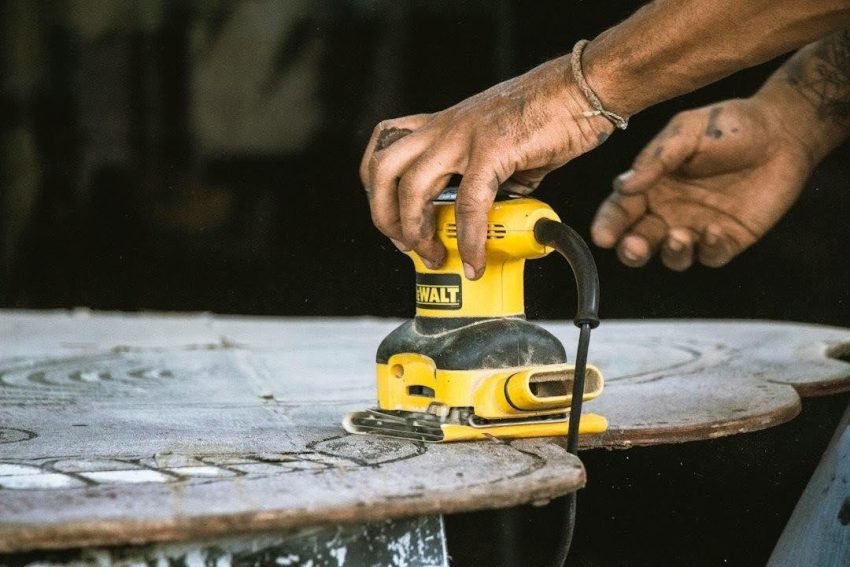
You’re pressing down too hard
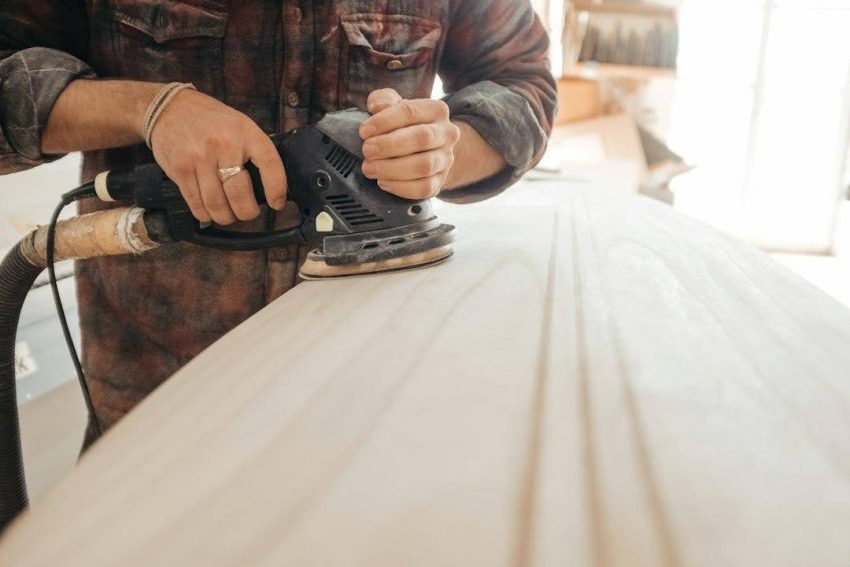
Pressing down too hard is the number one reason a beginner’s sander slows down. When the sanding feels slow, the natural move is to push harder, and pushing harder makes the sander slower still. You’ll notice:
- The hum drops to a lower, heavier note as soon as you lean on the sander, then climbs back up the moment you ease off.
- On a random orbital sander (the kind with a round pad), the pad stops turning and just buzzes in place.
- Small curly scratches, called swirl marks, start showing up in the wood.
- The sander feels hot under your palm, and your hand and wrist get sore long before the project is done.
Leaning on the sander drags the sandpaper hard into the wood, so the pad stalls and the motor slows and heats up; keep it up, and over time that heat burns out the motor.
On many random orbital sanders, the pad slows down or stops spinning when you lift the sander off the work, and that’s normal. If the motor keeps humming steadily and the pad still buzzes, that’s the pad brake, a rubber ring that rubs on the pad so it doesn’t spin up fast and gouge the wood when you set the sander back down. Your sander is fine. The owner’s manual will show whether your sander has a pad brake.
What to do
- Rest your palm on top of the sander, keep the pad flat on the wood and relax your fingers. The sander’s own weight plus the light weight of your hand is all the pressure it takes, so your hand only steers the sander; it doesn’t push.
- Watch the pad. On a random orbital sander, the pad should keep turning slowly while you sand. If it stops, ease off until it starts turning again.
- Listen to the hum. Keep it at the same note the sander makes when you first set it on the wood, and ease off whenever the note drops.
- Move the sander slowly, in overlapping passes. If the old finish isn’t coming off fast enough, put on fresh sandpaper or switch to a coarser grit instead of pushing harder.
- If the pad has already left swirl marks, sand over them again with the same grit and a light touch, then work up through your finer grits.
The speed dial got knocked to a low setting
A speed dial knocked to a low setting makes the sander run slow from the moment you switch it on. On sanders that have one, the dial often sits close to where your thumb or palm rests, so it’s easy to roll it down without meaning to. It’s probably the dial if:
- The sander sounds slower and quieter than usual as soon as you switch it on, before the pad even touches the wood.
- It sands slowly even with fresh sandpaper and a light touch.
- Nothing sparks, smells hot or feels hotter than usual.
- It ran at full speed earlier and slowed down after you changed your grip or picked it up a different way.
A low setting runs the pad more slowly, and the sander bogs sooner when you press.
What to do
It takes five seconds, so check it even if you think pressure is the problem. Look at the dial, turn it back up to the setting you want (on most dials, the highest number is the fastest) and listen for the hum to rise. Once the sander is back to full speed, look at where your hand sits and shift your grip so your thumb and palm stay clear of the dial while you sand.
If the dial is already all the way up and the sander still runs slow from the moment you switch it on, the dial isn’t the problem, so keep working down this list. If turning the dial makes no difference to the speed at all, the speed control inside the sander may be faulty, so take it to a repair shop.
The carbon brushes have worn down (corded sanders with brushed motors)
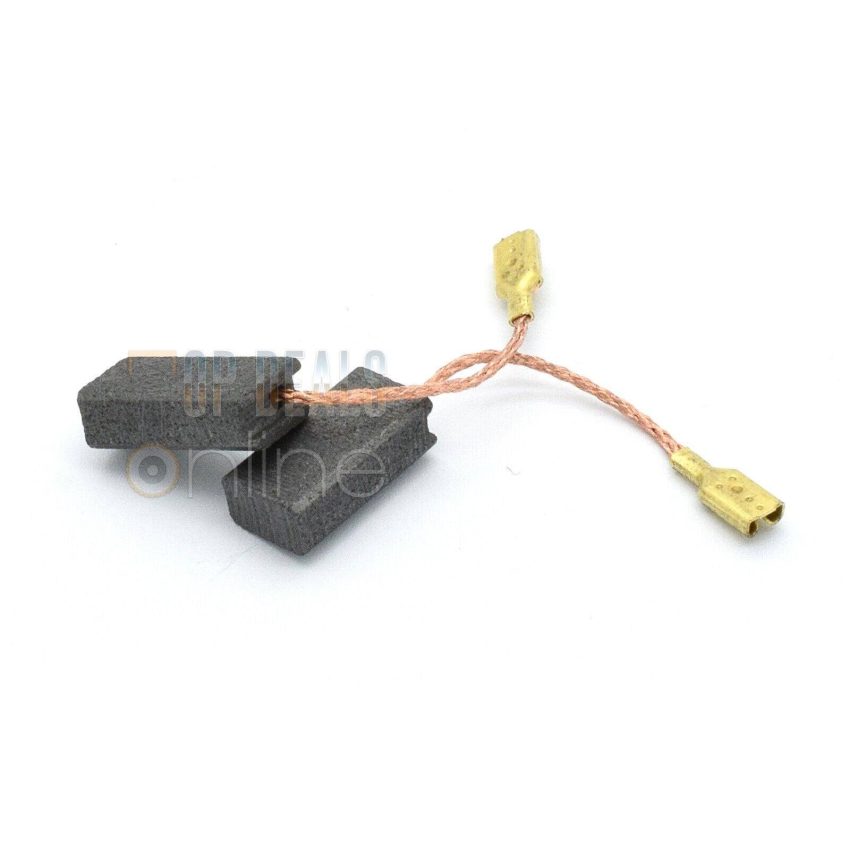
Carbon brushes wear out only in corded sanders with brushed motors. Brushless sanders, corded or cordless, have no brushes, so none of this applies to them; if your sander’s label or manual says brushless, skip to the next section.
Carbon brushes are two small blocks of carbon, and a spring presses each one against a spinning copper ring on the motor called the commutator). The brushes carry power into the spinning part of the motor, and they wear a little shorter every time you use the sander.
If a corded sander fades, sparks through the vents or smells hot even with a light touch and the dial turned up, worn carbon brushes are a likely cause, and a new pair costs a few dollars, far less than a new sander. Signs the brushes have worn down:
- Power fades when you press the sander into the wood, or cuts in and out while you sand.
- You see sparks through the vents. A faint flicker is fine on a brushed motor; bright flashes, or sparks that get bigger as you sand, are not.
- A hot, burning smell comes out of the vents.
- The sander only runs when you wiggle the cord or tap the housing.
Once the brushes wear short, the springs can’t hold them firmly against the commutator, so the power flickers and fades. If wiggling the cord gets the sander running again, look the cord over too: a cord that’s cracked, cut or kinked where it enters the handle can cause the same cutting out, and it’s a shock risk, so stop using the sander until a repair shop replaces the cord.
Stop sanding as soon as you see these signs. If you keep sanding on worn brushes, the heavy sparking, called arcing, burns pits into the commutator. New brushes can’t sit flat on a pitted commutator, and a few-dollar fix turns into a motor repair that can cost more than the sander is worth.
What to do
- Unplug the sander. Switching it off isn’t enough when you’re about to open up the motor.
- Find the brushes. Some sanders have two round, screw-off brush caps, one on each side of the motor housing. Unscrew them with a flat-blade screwdriver and keep a thumb over each cap as it comes loose, because the spring pushes the brush out. On many palm sanders, the brushes sit inside the housing instead; open the housing the way the owner’s manual shows, and if the manual doesn’t cover it, a repair shop can swap the brushes for you. Take a phone photo before you remove anything so you can see how it all goes back together.
- Slide each brush out and look at the carbon block. If only about a quarter inch of carbon is left, or it’s chipped, cracked or burned, replace both brushes as a pair, even if only one looks short. If both are still long and smooth, put each one back in the holder it came from, facing the same way; the brushes aren’t the problem, and if the sparking or cutting out continues, take the sander to a repair shop.
- Get replacement brushes that match. Find the rating plate, the label or stamped metal plate on the housing that lists the sander’s make, model and type number. The wrong size of brush either rocks in its holder and sparks, or sticks so the spring can’t keep it pressed against the commutator as it wears. With the model and type number written down, order a pair of replacement carbon brushes made for that sander from a shop such as Top Deals Online.
- Slide the new brushes in straight. Slide each one into its holder the same way the old one came out, so it sits straight and moves in and out freely; if it catches or sits crooked, take it out and line it up again. Screw the caps back on until they’re snug (overtightening can crack a plastic cap), or close the housing, checking that no wires get pinched.
- Give the sander a short run with no load. Plug it in, hold it firmly with the pad off the work and pointing away from you, and let it run. A little sparking through the vents is normal while the new brushes bed in (wear to fit the curve of the commutator). Heavy sparking, or sparking that gets worse, is not normal: unplug the sander and take it to a repair shop, because the arcing may already have pitted the commutator.
The sandpaper is clogged or worn out
Sandpaper fills up with dust, paint and old finish as you sand (woodworkers call this loaded sandpaper), and the grit wears smooth over time. Signs it’s the sandpaper:
- The sander runs at full speed when you lift it off the wood, but on the wood it skates across the surface instead of cutting.
- The sandpaper looks shiny or glazed, or hard little clumps of paint or finish stick to it.
- With the sander switched off, the sandpaper feels smooth under your fingertip instead of gritty.
- You’ve been pressing harder and harder to make it cut, and that’s when the sander starts to bog.
When dust, paint or finish packs into the gaps between the grit, the grit can’t reach the wood, so the sandpaper rubs instead of cutting.
What to do
- Switch the sander off and unplug it, or take the battery out, before you change the sandpaper.
- Peel off the old disc and press a fresh one onto the pad, lining up the holes in the disc with the holes in the pad. Lined-up holes let the sander pull dust up through the pad instead of trapping it under the sandpaper. On a square-pad palm sander, fit a fresh sheet so it sits tight and flat.
- Step through the grits in order: start with the coarsest grit the job calls for and move up one grit at a time. Starting too fine on old paint or varnish is a quick way to clog sandpaper, because fine grit fills up long before it cuts through a thick coating. If you’re not sure where to start, a grit guide lays out the usual order.
- Clean sandpaper that’s clogged but not worn. With the sander running, press a rubber cleaning stick against the sandpaper and move it across the disc; the rubber pulls the packed dust out of the grit.
- Replace the sandpaper when it still looks shiny after cleaning, feels smooth or has torn. Sandpaper costs very little next to a new sander, so change it as soon as it stops cutting.
- If paint or finish gums up a fresh disc within seconds, the coating may still be soft. Give it more time to dry, try anti-clog sandpaper made for paint and finishes, and keep a light touch so the coating doesn’t heat up and smear.
Dust in the motor vents is making the sander overheat
When dust fills the motor vents, the sander overheats and slows down, and because it builds up a little at a time, it usually shows up partway through a long sanding session. Signs the vents are blocked:
- The sander starts strong and gets slower the longer you sand.
- The housing gets hot, especially around the vent slots, and the air coming out of the vents feels hot on your hand.
- Dust is visibly caked in the vent slots, or the dust bag or canister is full.
- The sander may shut off on its own, then start again once it has cooled.
- Your palm covers the vent slots when you grip the sander.
A fan inside the sander pulls cool air in through the vents and over the motor; when dust packs the vents, or your hand covers them, the heat stays in and the motor slows. If you see heavy sparks through the vents, or the sander cuts in and out while it’s still cool, go back to the carbon brushes section instead.
What to do
- Switch the sander off and unplug it, or take the battery out. If the housing is hot, set the sander down and let it cool completely before you go any further.
- Take the sander outside, put on safety glasses and a dust mask, and blow the dust out of the vent slots with a can of compressed air or an air compressor. If you don’t have compressed air, pull the dust out with a shop vac and its narrow nozzle instead.
- Empty the dust bag or canister, and tap the dust out of its filter if it has one, so the dust goes into the bag instead of into the air around the vents.
- Use dust collection while you sand. Hooking a shop vac up to the sander’s dust port pulls most of the dust away before it reaches the vents, and it keeps the air you breathe cleaner too.
- Keep your palm off the vent slots while you sand, and on long jobs, switch the sander off and set it down every so often to cool.
The extension cord is too long or too thin (corded sanders)
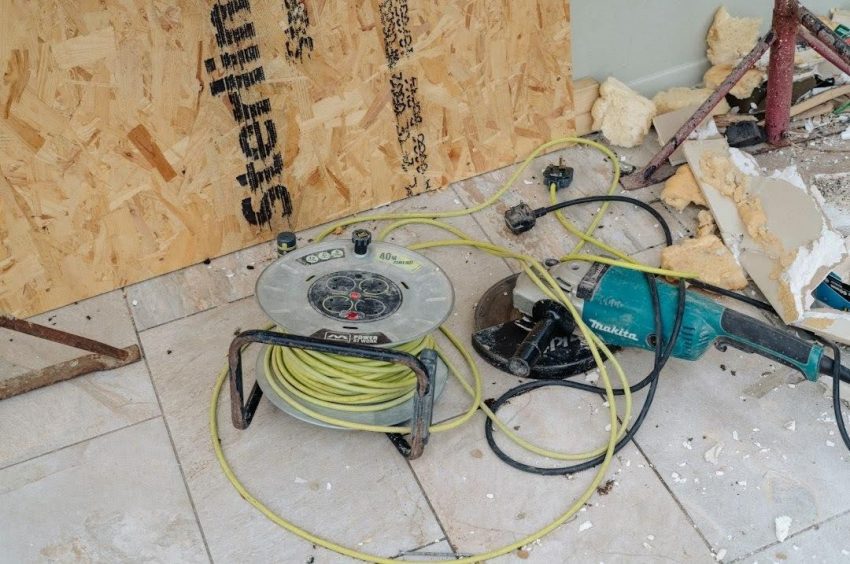
An extension cord that’s too long or too thin can slow a corded sander even when nothing is wrong with the sander itself. It’s probably the cord if:
- The sander is weaker at the far end of a long cord, out in the driveway or the back of the garage, than it is near an outlet.
- The cord is a long one, or a thin, light one like the cords sold for lamps and holiday lights.
- The cord or its plug feels warm while you sand.
- The sander and the shop vac share one extension cord.
A long or thin cord loses some of the power along the way, so the sander gets less than the outlet supplies and bogs sooner when you press. To check, plug the sander straight into a wall outlet and sand with it there. If it runs stronger, the cord is the problem.
What to do
- Work close to an outlet. Move the project, or plug into a nearer outlet, so you can use the shortest cord that reaches.
- Use a heavier cord. The cord or its packaging lists its thickness as a gauge number, and the lower the number, the thicker the wire: a 14-gauge cord is thicker than a 16-gauge cord. Find the amp rating on your sander’s label and check it against a gauge chart for the length of cord you need.
- Unroll the whole cord before you start. A cord left coiled on its reel traps heat.
- Run the sander on one cord, not two cords plugged together, and plug the shop vac into a separate outlet.
- Stop using any cord that feels warm or that’s cut, cracked or crushed. A warm cord is a fire risk as well as a power problem. If you sand outdoors, use a cord rated for outdoor use, plug into a GFCI outlet (the kind with test and reset buttons) and read through the electrical safety basics before you start.
The battery is wearing out (cordless sanders)
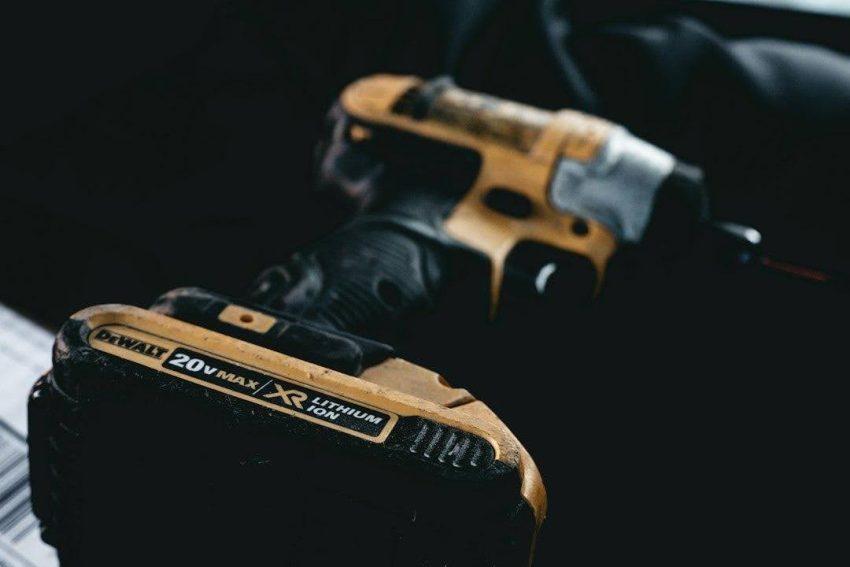
When a cordless sander fades early, the battery is usually the reason. It’s probably the battery if:
- The sander runs strong on a fresh charge, then fades well before it used to, and each charge seems to run out sooner than the last.
- The charge lights on the battery, if it has them, drop fast or still show charge when the sander stops.
- The battery feels hot after a short run.
- It fades sooner on cold days, especially if you keep the battery in a cold garage.
- Swap in another battery and the sander runs normally.
As a battery pack ages, it holds less charge, and its power drops off sooner when you press the sander into the wood.
What to do
- Charge the battery fully and try again. Let a hot pack cool before you charge it, and bring a cold one indoors to warm up first.
- Blow the dust off the battery’s metal contacts and out of the sander’s battery slot, then push the pack in until it clicks. Sanding dust on the contacts, or a pack that isn’t all the way in, can make the sander cut in and out.
- Try a known-good battery: a newer pack, or one borrowed from a friend that fits the same sander.
- If the sander runs strong on the good battery, the old pack is worn out. Replace it with a battery that matches the voltage and battery model listed in your sander’s manual.
- If the sander still fades on a good battery, the battery isn’t the problem. Go back through the pressure, speed dial, sandpaper and vent sections, because those causes slow cordless sanders too.
- Battery packs don’t belong in household trash, so drop the old one off for recycling.
FAQ
What speed should I run my orbital sander at?
For most sanding on bare wood or old finish, run it at or near the top setting with a light touch. Turn the speed down for gentler jobs: scuffing between coats of finish, sanding paint that softens and gums up the sandpaper, or sanding thin veneer you don’t want to go through. If the sander slows down on its own while the dial is turned up, the setting isn’t the problem, so work through the causes above. Your owner’s manual may also list the settings the maker suggests for different jobs.
Why isn’t my orbital sander spinning?
If the pad slows or stops spinning only when you lift a random orbital sander off the work, and the motor keeps humming steadily, that’s the pad brake, and it’s normal. If the pad stops turning while you sand, you’re pressing too hard; ease off until it turns slowly again. A square-pad palm sander never spins at all: its pad moves in tiny circles, so that’s normal too. If the motor itself won’t run, check the outlet, the cord or the battery first, then the brushes on a corded sander with a brushed motor.
Can you replace the brushes on a sander yourself?
Usually, yes. On a corded sander with a brushed motor and screw-off brush caps, it takes a screwdriver and a few minutes: unplug the sander, take out the old pair and fit a new pair that matches the make, model and type number on the rating plate. On palm sanders with the brushes inside the housing, open it the way the owner’s manual shows, or have a repair shop do the swap. Brushless sanders have no brushes to replace.
Is it worth repairing a cheap sander?
For the fixes above, usually yes. A lighter touch, a turn of the dial, fresh sandpaper, clean vents and a better cord cost little or nothing, and a pair of brushes costs a few dollars. A new battery pack costs more, so on a cheap cordless sander, price the pack against a new sander that comes with a battery. Repair stops making sense when the motor itself is damaged, for example when arcing from worn brushes has pitted the commutator. If a repair shop gives you a quote for motor work, weigh it against what a new sander costs; on a cheap sander, buying new usually makes more sense.