
Key Takeaways
- Create one complete inventory of documents before production begins.
- Assign every important file to a named owner and reviewer.
- Keep approved versions in one location with clear file names.
- Separate public handouts from private records and contracts.
- Prepare for printing problems, internet outages, and last-minute changes.
- Test the workflow before doors open, then review it after the event.
From school fundraisers and neighborhood celebrations to business expos and community gatherings, temporary events in Indian Trail, North Carolina, often move quickly from planning to opening day. A dependable document workflow keeps schedules, maps, badges, vendor forms, and safety notices organized so the team can focus on guests rather than chasing down files. Whether an event is held near a local park, a community venue, or a busy retail area, organizers need a practical way to prepare and replace printed materials. Arranging a short-term copier rental can give event teams on-site flexibility when attendance changes, a speaker updates a handout, or registration packets need to be replenished.
Why Indian Trail Events Need a Document Plan
Short-term events create compressed deadlines. A single event may require guest agendas, directional signs, room assignments, volunteer instructions, sponsor materials, waivers, attendance sheets, emergency contacts, invoices, and post-event reports. Without a plan, staff may print an outdated schedule or send guests to the wrong check-in point. Indian Trail organizers also benefit from planning for local realities, including weather-related changes, traffic around popular corridors, and guests arriving from across Union County and the Charlotte area. A document system should support both printed items for in-person use and digital files for quick updates. For organizations that host recurring workshops, training sessions, or community programs, a copier lease in Indian Trail may be a practical, longer-term option once the event team has identified its typical print volume and finishing needs.
Step 1: List Every Document the Event May Need
Start with a document inventory rather than jumping directly into design or printing. List every item that must be created, reviewed, shared, displayed, signed, or stored. Mark each one as required, optional, or digital-only.
Include These Categories
- Guest-facing materials: agendas, maps, name badges, programs, parking instructions, and feedback cards.
- Staff materials: setup checklists, shift schedules, call lists, and task assignments.
- Vendor and venue records: contracts, delivery confirmations, certificates, and payment paperwork.
- Safety documents: emergency contacts, incident forms, first-aid instructions, and evacuation notices.
- Post-event records: receipts, attendance totals, survey results, and debrief notes.
Step 2: Assign Owners and Deadlines
Every critical document needs one person responsible for its final version. A group can contribute, but a named owner prevents uncertainty about who must make edits or approve the file. Build extra time into every deadline so the team can handle misspellings, venue changes, or revised attendee counts.
Track Each File With These Details
- Document name and intended audience
- Owner, reviewer, and final approver
- Approval deadline and print deadline
- Final storage location
- Print quantity, color requirements, and finishing instructions
- Backup format, such as a PDF saved locally and in secure cloud storage
Step 3: Build a Single Source of Truth
Keep approved files in a single shared location accessible to staff during setup and event hours. Archive old drafts instead of leaving several versions in the same folder. Use a consistent naming pattern, such as “IndianTrailSpringExpo_Agenda_2026-08-11_FINAL.pdf.” Avoid labels like “new version” or “final final.” A brief changelog is equally useful. Record what changed, who approved it, and whether replacement pages must be printed. This small habit is especially valuable when multiple volunteers are working shifts.
Step 4: Separate Public and Sensitive Materials
Not every file should be available to every person. Public schedules and maps can be shared broadly, while attendee lists, payment records, vendor contracts, internal contact sheets, and incident reports need tighter controls.
- Public: programs, signs, directions, and general schedules.
- Staff-only: operational checklists, volunteer contacts, and setup plans.
- Partner-only: vendor instructions, delivery details, and sponsor paperwork.
- Restricted: financial records, personal data, medical information, and incident documentation.
Limit folder access, remove unnecessary personal details from handouts, collect discarded drafts, and shred confidential pages. Event planners handling ticketing, registration, payments, or shared devices can use cybersecurity planning for major events to identify risks and develop a response plan.
Step 5: Plan the Print and Copy Workflow
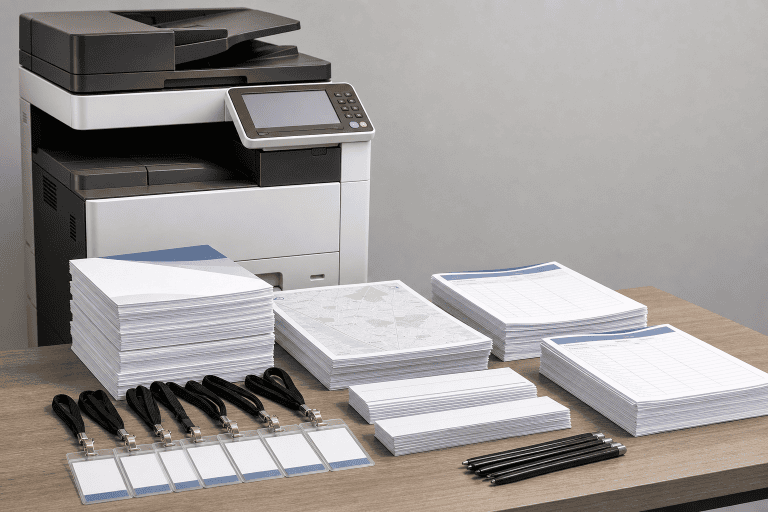
Estimate quantities based on attendance, staff needs, replacement copies, and expected walk-ins. Print extra copies of high-use materials, such as check-in sheets, schedules, directional signs, and emergency notices. Consider whether pages need color, double-sided printing, stapling, folding, labels, or sorting into packets. Reliability matters as much as speed during a one-day event. Place equipment where authorized staff can reach it, keep paper and toner nearby, and assign one person to monitor supplies and output quality. A clearly labeled bin for completed packets prevents volunteers from mixing unfinished materials with approved sets.
Step 6: Make the Workflow Easy for Staff
Create a one-page guide near the print area. It should identify the approved file folder, documents that may be printed, the person authorized to approve revisions, supply locations, and the method for reporting a problem.
For example, a conference speaker may change a session time shortly before doors open. The document owner approves the revised agenda, updates the change log, and directs staff to replace only the affected agenda page. That process is faster and less wasteful than reprinting every packet.
Step 7: Add Backups for Disruptions
Temporary events need alternatives for the problems that seem unlikely until they happen. Identify a primary and a secondary printing location, save essential PDFs offline, keep paper registration forms on file, and designate a backup equipment or supply contact. Teams should also prepare emergency signage and a communication method that works if email or chat is unavailable. Broader coordination with venues and response partners can strengthen the plan. The mass gathering security planning tool offers a useful framework for considering event operations, security, and contingencies together.
Step 8: Test Before Opening and Review Afterward
Before guests arrive, open the final files from the shared location and print one sample of each document type. Check margins, page order, color, readability, scanning, copying, and finishing. Confirm that staff can find files without help and run through the backup process once. After the event, ask which documents ran out, which files caused confusion, whether approval times were realistic, and whether the backup plan worked. A straightforward workflow with clear ownership, secure handling, realistic print quantities, and a practiced fallback plan helps Indian Trail event teams deliver a calmer, more professional experience.
Conclusion
A reliable document workflow can make temporary events in Indian Trail easier to manage from the first planning meeting through the final cleanup. By creating a complete document inventory, assigning clear ownership, maintaining approved versions in one location, protecting sensitive records, and planning realistic printing quantities, organizers can reduce last-minute confusion and unnecessary delays. Preparing for equipment issues, internet outages, weather changes, and unexpected revisions also gives staff practical alternatives when plans change. Testing the process before guests arrive and reviewing it afterward helps identify weaknesses that can be corrected for future events. With clear responsibilities, organized files, reliable printing, and simple backup procedures, Indian Trail event teams can spend less time searching for documents and more time focusing on guests, vendors, volunteers, and the event’s success.